

Now Reading: Enter in Service Mode on KONICA MINOLTA bizhub C224e
-
01
Enter in Service Mode on KONICA MINOLTA bizhub C224e

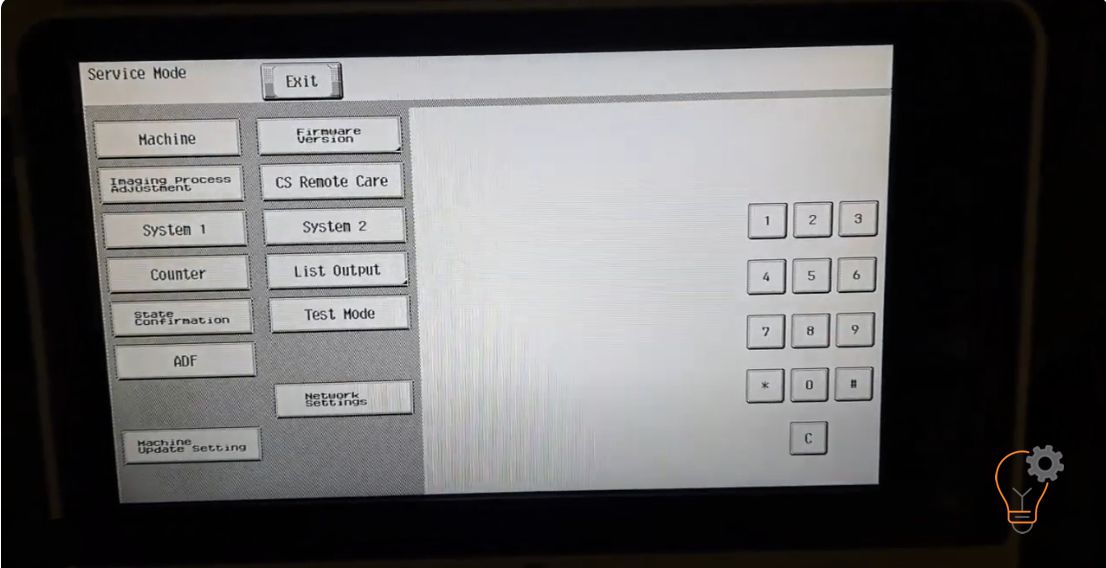
Enter in Service Mode on KONICA MINOLTA bizhub C224e
If you want to enter in an Service Mode on Konica Minolta bizhub C224e models for many reasons… Maybe to clear some error counter, to reset the machine or clear the maintenance counters, the procedure to enter in service mode is simple. Press the Home button, Counter, Display Keybord, Stop>0>0>Stop>0>1, Input the password, END. You are now in the Service Mode. Or just follow the instructions from the video below. Default passwords for this model may be 1234567812345678 or 9272927292729272. https://www.youtube.com/watch?v=smSEN82MPEM
Frequently asked questions
What is the default service-mode password for the bizhub C224e?
Common defaults are 1234567812345678 or 9272927292729272. If those do not work, the password may have been changed by an administrator or technician.
What can I do in service mode?
Service mode lets you clear error and maintenance counters, run adjustments and reset the machine. Only change values you understand.
How do I exit service mode?
Press the Home or Exit key to leave; power the machine off and on if needed to return to normal operation.
Related guides
Leave a reply
You must be logged in to post a comment.
Pingback: Have you heard of this cleaning trick? | tipsandtricksforall.com
Pingback: Have you heard of this cleaning trick? | Real Tips and Tricks
Pingback: Enable USB port on SHARP MX-BP20M22/M24/M28/M31 series to connect the machine to print with USB cable - Copiers Printers Tricks
Pingback: Enable USB port on SHARP BP-20M22/M24/M28/M31 series to connect the machine to print with USB cable | Print Copy Tech
Pingback: Enable USB port on SHARP BP-20M22/M24/M28/M31 series to connect the machine to print with USB cable - PrintFixLab