

Now Reading: Checking copy count – Konica Minolta bizhub 423/363/283/223
1
-
01
Checking copy count – Konica Minolta bizhub 423/363/283/223

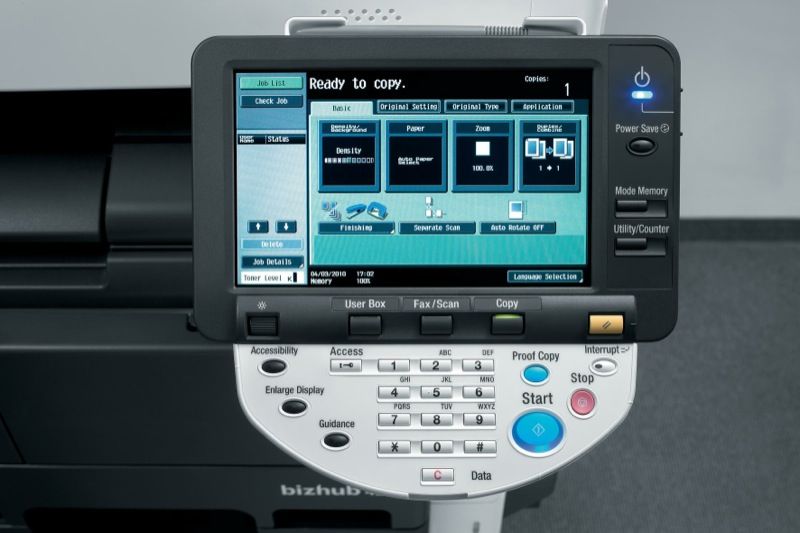
Checking copy count – Konica Minolta bizhub 423/363/283/223
If you need to read the meter or copy count on the Konica Minolta bizhub 423, 363, 283 or 223, it only takes a couple of taps on the control panel. Here is the exact procedure technicians and office users use.
How to check the copy count on the Konica Minolta bizhub 423 / 363 / 283 / 223
- Press the Utility/Counter button on the control panel.
- Press Meter Count on the left area of the touch display.
- The meter counts (total, copy, print, scan) are now shown on screen.
Frequently asked questions
What counters are shown?
The Meter Count screen shows totals such as total pages, copies, prints and scans, which are useful for billing and service records.
Which models does this work on?
The same steps apply to the Konica Minolta bizhub 423, 363, 283 and 223 series.
Do I need a password?
No. Reading the meter count is a normal user function and does not require service mode or a password.
Related guides
Related Posts
Previous Post
Next Post
Loading Next Post...