

Now Reading: Turn on the toner save mode on Sharp AR-5516/5520 series
1
-
01
Turn on the toner save mode on Sharp AR-5516/5520 series

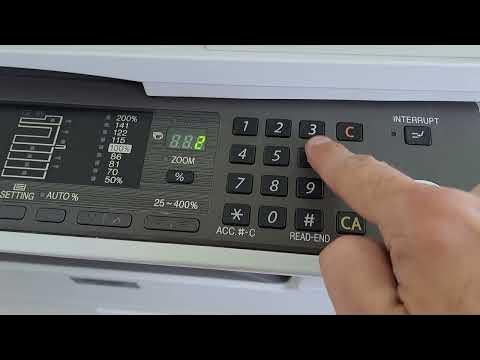
Turn on the toner save mode on Sharp AR-5516/5520 series
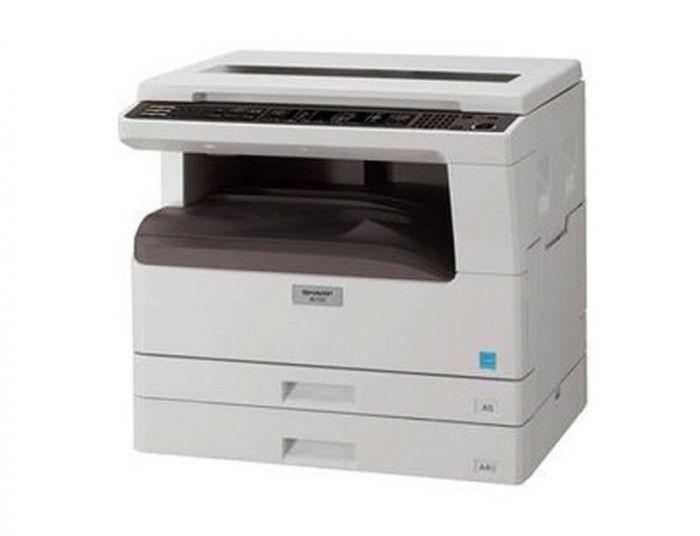
To reduce toner consumption you can turn on toner save mode on the Sharp AR-5516 / AR-5520 series. It is enabled through the machine’s simulation (service) mode using the key sequence below.
How to turn on toner save mode on the Sharp AR-5516 / 5520
- On the keypad, enter: # → Interrupt → C → Interrupt.
- Then enter: 26 → Start → 18 → Start → 1 → Start.
- Press CA to finish.
- Toner save mode is now turned on.
Watch the video
You can watch the full procedure here:
Frequently asked questions
What does toner save mode do?
It lightens the printing/copying density so the machine uses less toner, extending the cartridge life. Prints look slightly lighter.
How do I turn it off again?
Repeat the same simulation steps (SIM 26-18) and set the value to 0 instead of 1.
Which models does this work on?
The Sharp AR-5516 and AR-5520 series use this SIM 26-18 procedure.
Related guides
Leave a reply
You must be logged in to post a comment.
Related Posts
Previous Post
Next Post
Loading Next Post...
Pingback: Toner Save mode ON/OFF on Brother DCP L5500 / 5700 / 5750 / 6700 / 6900 | Copiers Printers Tricks
Pingback: How to check the remaining life of the toner cartridge on Sharp AR-5516/5520 series? | Copiers Printers Tricks