

Now Reading: How to check the remaining life of the toner cartridge on Sharp AR-5516/5520 series
1
-
01
How to check the remaining life of the toner cartridge on Sharp AR-5516/5520 series

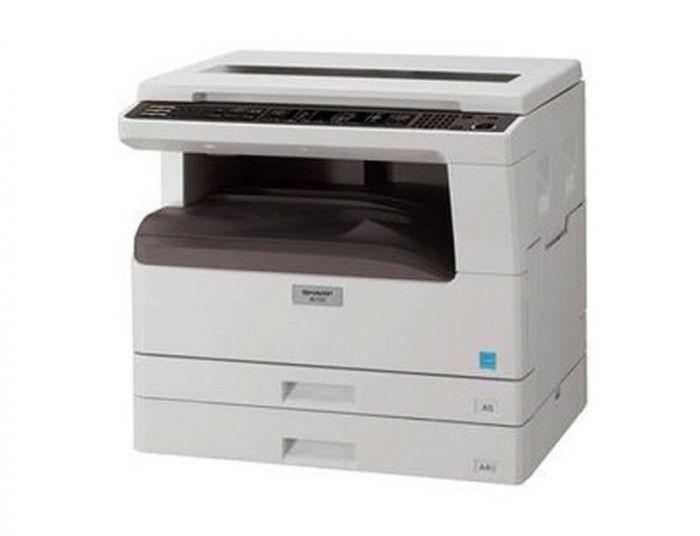
How to check the remaining life of the toner cartridge on Sharp AR-5516/5520 series
If you want to check the remaining toner life on the Sharp AR-5516, AR-5518, AR-5520, AR-6020 or AR-6023, the copier can show the toner level as a percentage using a hidden key combination. Here are the exact steps.
How to check the toner life on the Sharp AR-5516 / 5520
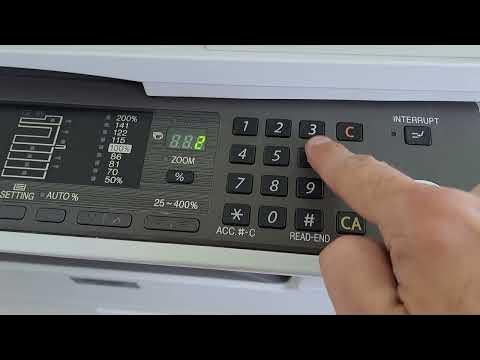
- Press and hold the Light key for about 5–6 seconds, until the display starts flashing.
- Hold down the percentage (%) key — the display shows the remaining toner (for example 100, 75, 50, or LO for low toner).
- To exit, press the Light key.
Watch the video
You can watch the full procedure here:
Frequently asked questions
What does “LO” mean on the display?
LO means the toner is low and should be replaced soon. The other values (100, 75, 50) show the approximate percentage remaining.
Which models does this work on?
The Sharp AR-5516, AR-5518, AR-5520, AR-6020 and AR-6023 all use the same Light + % key method.
Is this the same as toner save mode?
No. This only displays the toner level. To reduce toner use, see the toner save mode guide below.
Related guides
Related Posts
Previous Post
Next Post
Loading Next Post...