

Now Reading: Enable USB port on SHARP BP-20M22/M24/M28/M31 series to connect the machine to print with USB cable
1
-
01
Enable USB port on SHARP BP-20M22/M24/M28/M31 series to connect the machine to print with USB cable

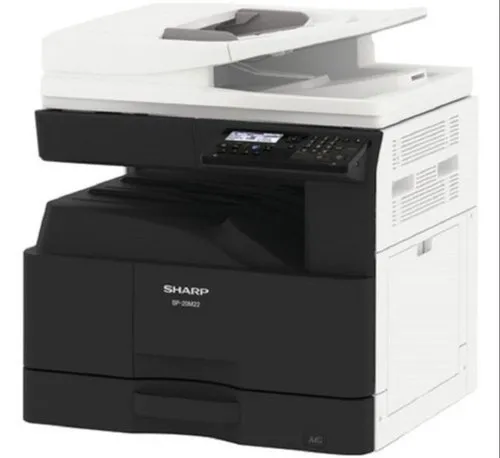
Enable USB port on SHARP BP-20M22/M24/M28/M31 series to connect the machine to print with USB cable
By default the USB port (Type B) is disabled on these models. To enable the USB port on the Sharp BP-20M22, BP-20M24, BP-20M28 and BP-20M31, you enter simulation (service) mode and switch it on. Here are the exact steps.
How to enable the USB port on the Sharp BP-20M series
- Make sure the machine is in Copy mode.
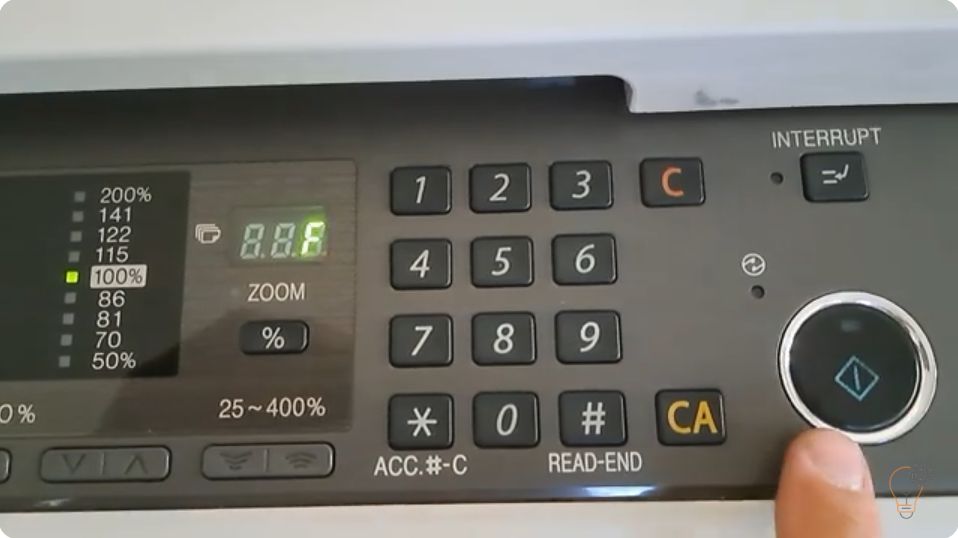
- Enter the sequence: [#] → [*] → [C] → [*].
- Enter SIM 26-50: 26 → Start → 50 → Start.
- Press the down arrow to “3: USB DEVICE”, press 1, then Start.
- Press the CA key to exit simulation mode.
- Install the printer driver from the official Sharp website.
Watch the video
You can watch the full procedure here:
Frequently asked questions
Why is the USB port disabled by default?
Sharp ships the BP-20M series with the USB host port turned off. You must enable it in simulation mode before printing over a USB cable.
Which models does this cover?
The BP-20M22, BP-20M24, BP-20M28 and BP-20M31 all use the same SIM 26-50 procedure.
Do I still need a driver?
Yes. After enabling the port, install the latest BP-20M driver from the official Sharp website.
Related guides
Leave a reply
You must be logged in to post a comment.
Related Posts
Previous Post
Next Post
Loading Next Post...
Pingback: Enable USB port on SHARP BP-50C26 - Copiers Printers Tricks
Pingback: Enable USB port on Sharp MX-B350P, AR-B352PT, MX-B450P, AR-B452PT - Copiers Printers Tricks
Pingback: Enable USB port on Sharp MX-B350P, AR-B352PT, MX-B450P, AR-B452PT | Print Copy Tech
Pingback: Enable USB port on Sharp MX-B350P, AR-B352PT, MX-B450P, AR-B452PT - PrintFixLab