

Now Reading: How to see the second error code (number) on SHARP AR-5516
1
-
01
How to see the second error code (number) on SHARP AR-5516

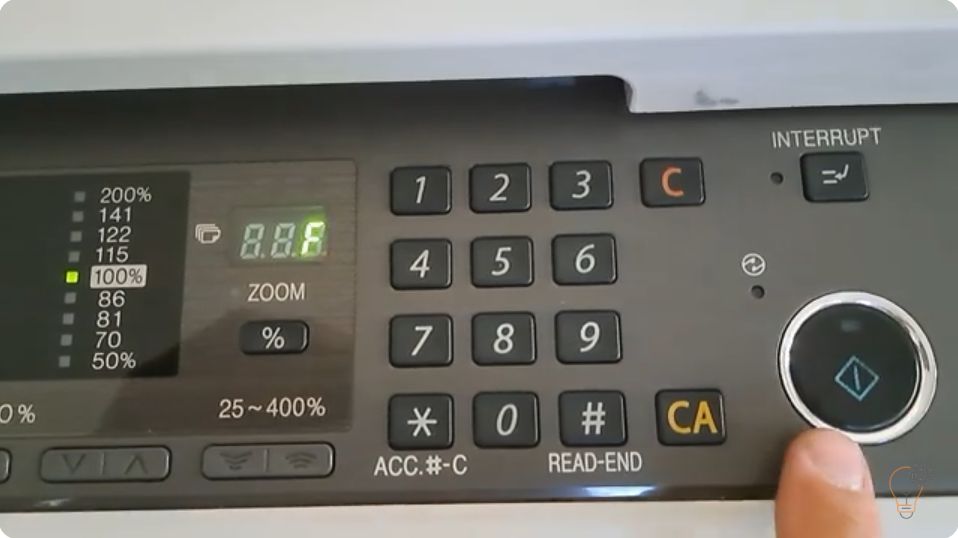
How to see the second error code (number) on SHARP AR-5516
When a Sharp copier reports a fault it first shows only the first two characters of the code (for example H2 or F2). To diagnose the problem you need the full code. Here is how to see the second error code number on the Sharp AR-5516 and AR-5518.
How to see the full error code on the Sharp AR-5516 / 5518
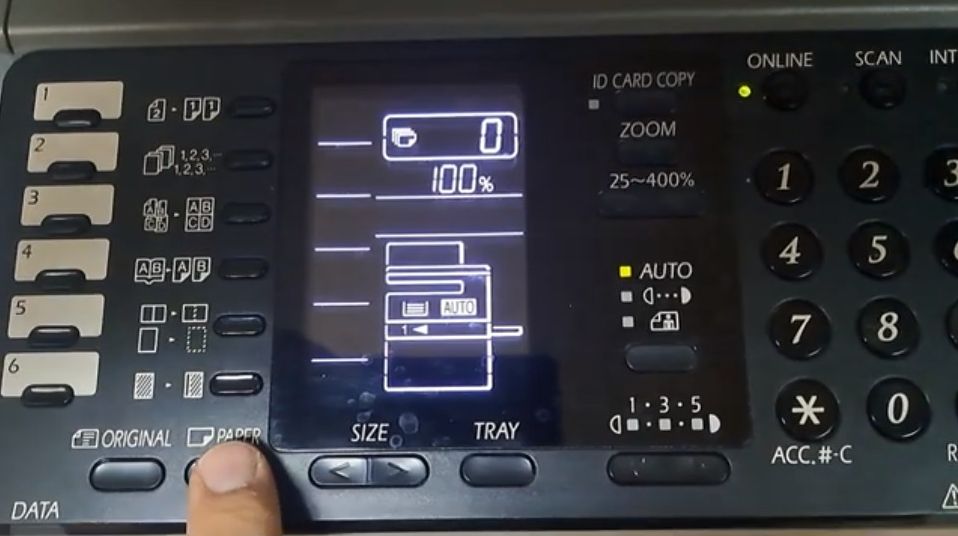
- Note the first two characters shown on the display (for example H2, F2, CH).
- Press the Start button.
- The display now shows the next two numbers of the error code, giving you the complete code (for example H2-00).
This method applies to the Sharp AR-5516 and AR-5518 models.
Frequently asked questions
Why does the copier only show two characters?
The small display shows the error code in two parts. Pressing Start reveals the second half so you can identify the exact fault.
What do I do with the full code?
Use the complete code (main code + sub code) to look up the specific fault, such as a fuser, scanner or motor error.
Which models does this work on?
It applies to the Sharp AR-5516 and AR-5518.
Related guides
Related Posts
Previous Post
Next Post
Loading Next Post...