

Now Reading: How to print a test page on Brother HL-2130
1
-
01
How to print a test page on Brother HL-2130

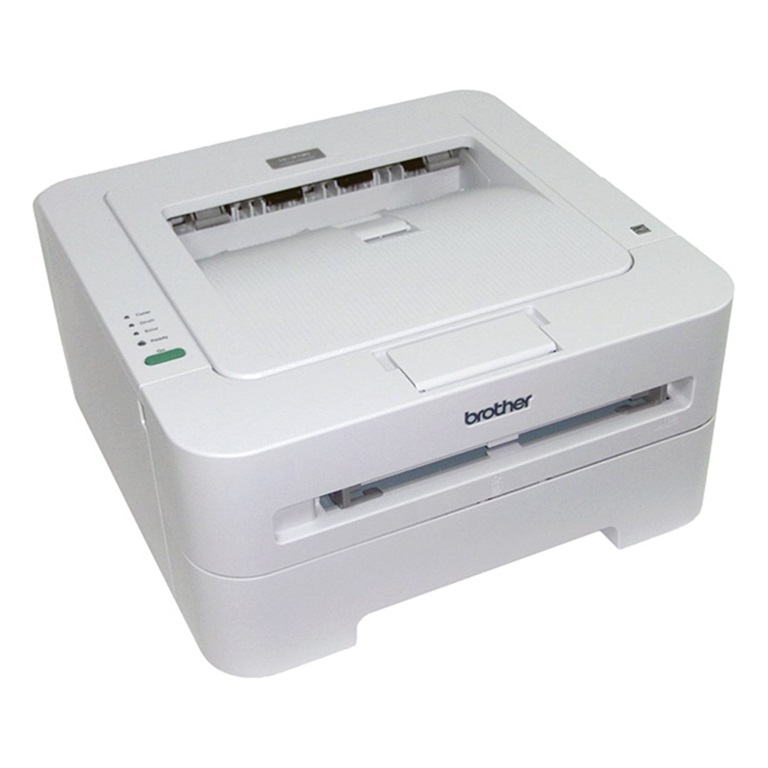
How to print a test page on Brother HL-2130
Printing a test page is the quickest way to check print quality and confirm the hardware works on the Brother HL-2130 — no computer required. Here is how to print a test page on the Brother HL-2130 using the Go button.
How to print a test page on the Brother HL-2130
- Turn off the printer. Make sure the front cover is closed and the power cord is plugged in.
- Hold down the Go button as you turn the power switch on.
- Keep the Go button pressed until the Toner, Drum and Error LEDs light up.
- Release the Go button and wait until the Toner, Drum and Error LEDs are off.
- Press the Go button again — the printer prints a test page.
Frequently asked questions
Why print a test page?
It confirms the printer, drum and toner are working and lets you check for streaks, fading or alignment problems without connecting to a PC.
The test page shows streaks or fading — what now?
That usually means a low toner cartridge or a worn drum unit. Replace the toner or drum and test again.
Does this work on other Brother models?
Similar Go-button sequences work on several entry-level Brother HL models, though the exact LED steps can differ.
Related guides
Related Posts
Previous Post
Next Post
Loading Next Post...